I am trying to have (git) versioning on a fileshare , but when running git init or git clone I get:
error: chmod on /[my folder]/.git/config.lock failed: Operation not permitted
is there a workaround ? or we have to use blobs versioning ?
thanks
I am trying to have (git) versioning on a fileshare , but when running git init or git clone I get:
error: chmod on /[my folder]/.git/config.lock failed: Operation not permitted
is there a workaround ? or we have to use blobs versioning ?
thanks

This seems to be the same problem already solved in Prevent git from failing on filesystems without chmod permissions in Linux.
Basically git tries to do a chmod after it created the files and on filesystems where that is not allowed git fails.
The workaround is to create the repository on a different filesystem and move the files over after they have been created.
Sadly even the latest version of git seems to miss a command line option to disable that call to chmod.

error: chmod on /[my folder]/.git/config.lock failed: Operation not permitted
There are limitations on certain Git operations because they require file system-level permissions that may not be available.
I also tried to execute the same commands in my VM but faced the same issue, just like you.
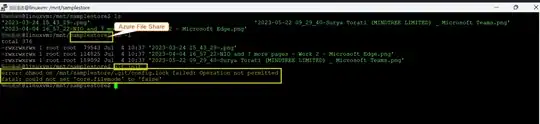
In order to resolve the issue, try to run the same command with sudo or run the same commands from the root user
  sudo git init
  sudo git clone
Result:
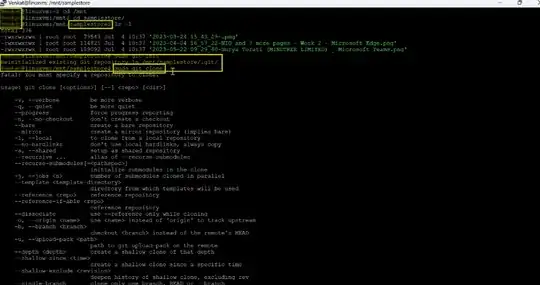
When I try to run it from the root user, it's working fine.
Note: If you create a user locally, try to add the same user to the sudo group for executing the git commands.

